命令行交互原理
正在加载今日诗词....2022-04-20
学习路径
- 掌握:readline / events / stream / ansi-escapes / rxjs
- 掌握命令行交互的实现原理,并实现一个可交互的列表
- 分析 inquirer 源码掌握其中的关键实现
ANSI-escape-code查阅文档:https://handwiki.org/wiki/ANSI_escape_code
readline 源码分析
- 强制将函数转换为构建函数
if (!(this instanceof Interface)) {
  return new Interface(input, output, completer, terminal);
}
- 获得事件驱动能力
EventEmitter.call(this);
- 监听键盘事件
emitKeypressEvents(input, this);

// `input` usually refers to stdin
input.on('keypress', onkeypress);
input.on('end', ontermend);
readline 核心实现原理:

注:readline利用了Generator函数的特性,还不熟悉Generator函数的同学可以查看:https://es6.ruanyifeng.com/#docs/generator
手写简单版readline
function stepRead(callback) {
  const input = process.stdin;
  const output = process.stdout;
  let line = '';
  function onKeyPress(s) {
    output.write(s)
    line += s;
    switch (s) {
      case '\r':
        input.pause();
        callback(line);
        break;
    }
  }
  emitkeyPressEvents(input)
  input.on('keypress', onKeyPress)

  input.setRawMode(true)
  input.resume()
}


function emitkeyPressEvents(stream) {
  const onData = (chunk) => {
    g.next(chunk.toString())
  }
  const g = emitKeys(stream)
  g.next()

  stream.on('data', onData)
}

function* emitKeys(stream) {
  while(true) {
    let ch = yield
    stream.emit('keypress', ch)
  }
}

stepRead((s) => {
  console.log('answer: ' + s)
})
如何开发命令行交互列表
实现原理
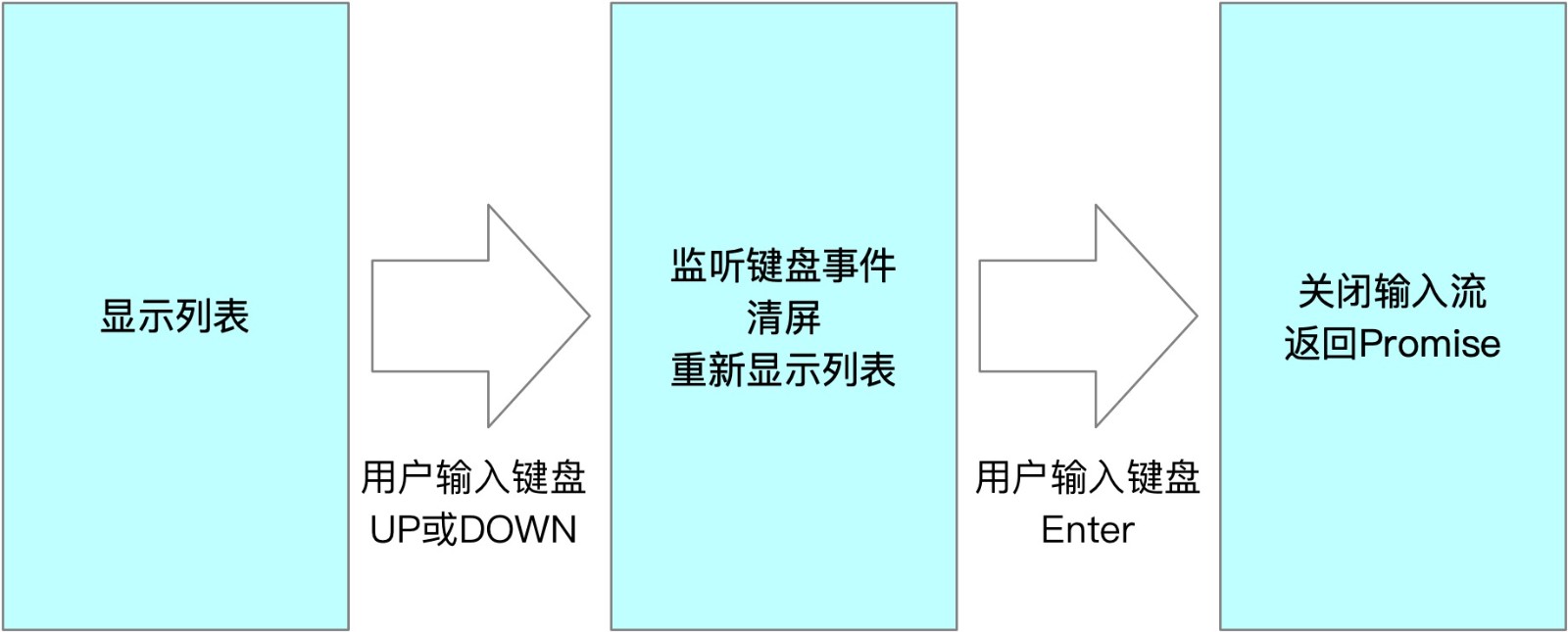
获取字符串的核心实现:
getContent = () => {
  if (!this.haveSelected) {
    let title = '\x1B[32m?\x1B[39m \x1B[1m' + this.message + '\x1B[22m\x1B[0m \x1B[0m\x1B[2m(Use arrow keys)\x1B[22m\n';
    this.choices.forEach((choice, index) => {
      if (index === this.selected) {
        if (index === this.choices.length - 1) {
          title += '\x1B[36m❯ ' + choice.name + '\x1B[39m ';
        } else {
          title += '\x1B[36m❯ ' + choice.name + '\x1B[39m \n';
        }
      } else {
        if (index === this.choices.length - 1) {
          title += `  ${choice.name} `;
        } else {
          title += `  ${choice.name} \n`;
        }
      }
    });
    this.height = this.choices.length + 1;
    return title;
  } else {
    const name = this.choices[this.selected].name;
    let title = '\x1B[32m?\x1B[39m \x1B[1m' + this.message + '\x1B[22m\x1B[0m \x1B[36m' + name + '\x1B[39m\x1B[0m \n';
    return title;
  }
};
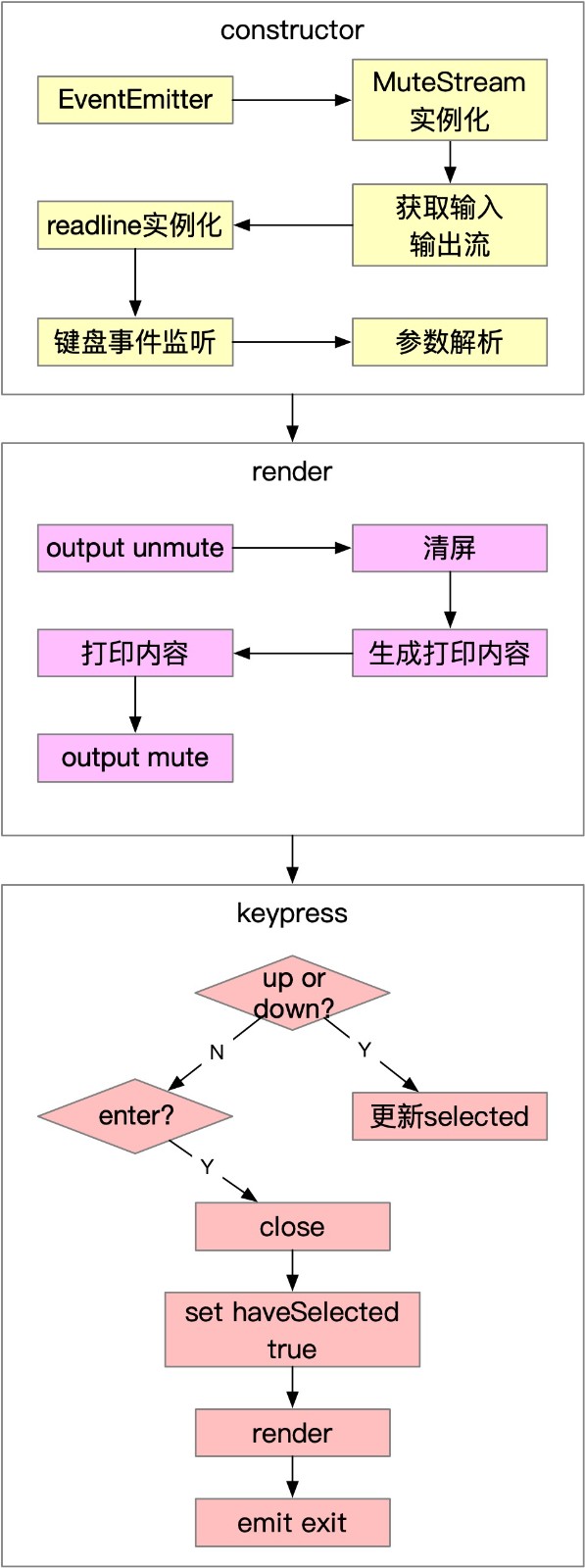
架构图
Copyright © 2022 @filway